

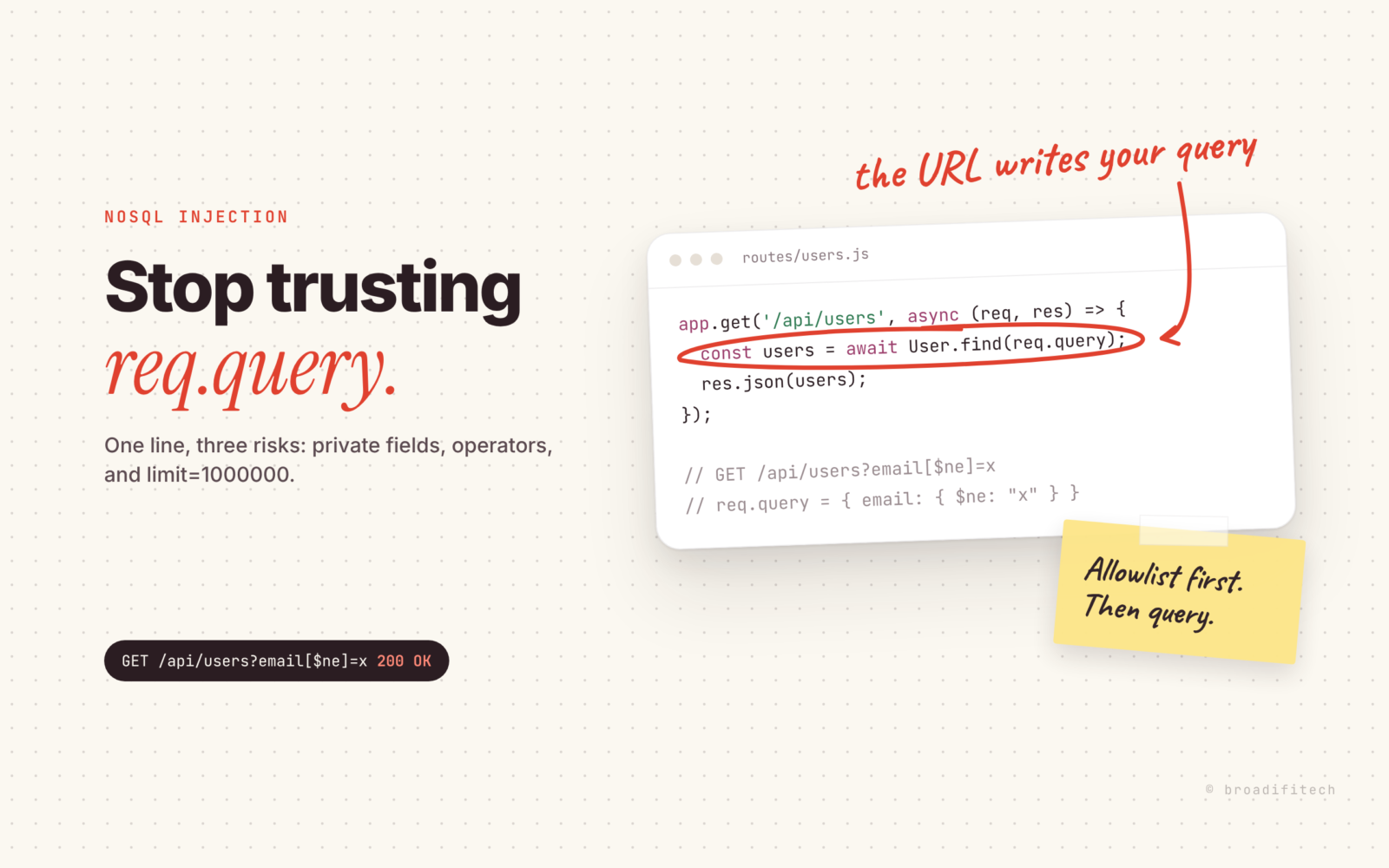
I have written this line. You probably have too.
app.get('/api/users', async (req, res) => {
  res.json(await User.find(req.query));
});

// GET /api/users?email[$ne]=x  with the "extended" query parser
// req.query arrives as:
{ "email": { "$ne": "x" } }
It looks harmless. It works on the first try, it is shorter than doing it properly, and that is exactly why it ends up in production. The client sends ?status=live, you get the live records, everyone goes home.
The trouble is that req.query is not “a few strings”. The Express request docs say it plainly: its shape is based on user-controlled input, and every property and value in it is untrusted. Hand that object straight to find() and you have let whoever types the URL write part of your database query.
How a query string turns into a MongoDB operator
It depends on which query parser your app uses, and the default changed between Express versions.
In Express 4, the query parser setting defaults to "extended", which is built on the qs library. qs understands brackets, so ?email[$ne]=x does not arrive as a string. It arrives as a nested object, and $ne is a real MongoDB operator that, in the words of the MongoDB query operator reference, matches all values that are not equal to a specified value. Pass that to find() and you get every user whose email is not “x”. In other words, everyone.
In Express 5, the application settings page lists the default as "simple", based on Node’s own querystring module. I ran both parsers on the same string this morning. With simple, the key stays flat: { "email[$ne]": "x" }. No nested object, no operator.
So Express 5 fixed it? Partly. Three things still bite:
- Plenty of apps switch back with
app.set('query parser', 'extended')because they want nested filters. The moment you do, the brackets are back. - Even the simple parser turns
?role=a&role=binto an array. If your code assumes a string, it is already wrong. - None of this touches JSON bodies. A login route that does
User.findOne(req.body)gets whatever object the client sends, operators included.
And operator injection is only one of the problems with that one-liner.
Three risks hiding in one line
Querying fields nobody should query. If any key is accepted, so is ?passwordHash=... or ?email=.... Nobody gets the hash back directly, but a list endpoint that answers “one match” or “no match” lets someone probe for values one guess at a time. Same for emails you never meant to make searchable.
Operator injection. $ne, $gt, $in, $regex and $where are all on that MongoDB operator page. $where matches documents that satisfy a JavaScript expression. You do not want a stranger choosing which of those run against your collection.
Unbounded reads. ?limit=1000000 is not an attack anyone needs to be clever for. Neither is a sort on a field with no index. I wrote about why queries that feel instant in dev crawl in production in this post on MongoDB queries. An open sort parameter lets anyone trigger the slow path on purpose.
The fix by hand
You do not need a library for this. You need an allowlist, and you need to say no out loud. My rules:
- Name the filterable fields and their types. Anything else is refused.
- Each value must be one plain string, cast to the type you expect.
- Because keys come from your list,
$-prefixed or bracketed keys never match, so they get refused for free. - Sort only on fields you listed, ideally indexed ones.
- Cap
limit. - If anything is wrong, return 400 and say what and why.
const FILTERS = { status: 'string', price: 'number' };
const SORTS = ['price', 'createdAt'];

function parseListQuery(query) {
  const filter = {}, errors = {};
  for (const [key, raw] of Object.entries(query)) {
    if (key === 'sort' || key === 'limit') continue;
    const type = FILTERS[key];
    if (!type) { errors[key] = `Not filterable. Allowed: ${Object.keys(FILTERS).join(', ')}`; continue; }
    if (typeof raw !== 'string') { errors[key] = 'Send one plain value'; continue; }
    const value = type === 'number' ? Number(raw) : raw;
    if (type === 'number' && !Number.isFinite(value)) errors[key] = 'Must be a number';
    else filter[key] = value;
  }
  const limit = Number(query.limit ?? 20);
  if (!Number.isInteger(limit) || limit < 1 || limit > 100) errors.limit = 'Must be an integer between 1 and 100';
  const sort = String(query.sort ?? '-createdAt'), field = sort.replace(/^-/, '');
  if (!SORTS.includes(field)) errors.sort = `Cannot sort by "${field}". Allowed: ${SORTS.join(', ')}`;
  return { filter, limit, sort: { [field]: sort.startsWith('-') ? -1 : 1 }, errors };
}
// in the route: if (Object.keys(q.errors).length) return res.status(400).json({ error: { code: 'BAD_REQUEST', details: q.errors } });
I ran this on Express 5.3 against a few nasty URLs. ?email[$ne]=x comes back 400 with “Not filterable. Allowed: status, price”. ?price=abc&limit=1000000&sort=passwordHash comes back with three separate reasons, one per parameter. ?status=a&status=b gets “Send one plain value”, and so does ?status[$ne]=x after I flipped the parser to extended. Same function, both parsers, same answer.
This is old advice in new clothes. The OWASP Injection Prevention Cheat Sheet recommends allowlist input validation, and is honest that it is not a complete defense on its own. So keep the boring parts too: a database user with only the rights it needs, and no $where anywhere in your own code.
Why the 400 should explain itself
The lazy version of this fix is to quietly drop anything not on the list. Please don’t.
If a frontend dev sends ?categry=tools with a typo and you ignore it, they get the full unfiltered list and, three weeks later, a bug report that says “filter is broken”. If you reply with “categry: Not filterable” and the allowed fields, they fix it in thirty seconds.
Silent dropping also hides probing. A 400 with a reason shows up in your logs as exactly what it is. And clear errors are kind to the people integrating with your API, who are very often you, six months later, at 11pm.
How CalmAPI does the same thing
Fair warning: I built CalmAPI, our open source Express and MongoDB framework, so add salt to taste. The 2.0 line is in beta (the scaffolder I ran today installed 2.0.0-beta.2). You start a project with npm create calmapi@latest my-api, and it needs Node.js 22.12 or later plus MongoDB.
The idea is the same allowlist, moved to where you define your fields. A field cannot be queried until you mark it with .filterable(), .sortable() or .searchable(). This is the post resource and the config from a freshly scaffolded project:
// app/resources/post/post.resource.js
title: f.string().required().max(200).searchable().sortable(),
slug: f.string().readOnly().unique().filterable(),
body: f.text().required().max(50_000),
status: f.enum(['draft', 'published']).default('draft').filterable(),
publishedAt: f.date().readOnly().sortable(),

// calm.config.js
pagination: { defaultLimit: 20, maxLimit: 100 },
Per the Resources docs, anything not marked fails with a 400 instead of quietly scanning private data, and you can narrow operators per field, like .filterable(['eq', 'in']). The Querying docs say query strings are parsed flat, so nested objects and $ operators cannot be injected, and values are type-checked and converted. In the generated calm/app.js you can see the framework set Express’s query parser to simple itself. limit defaults to 20 and is capped at 100 through that config. ?q= search input is escaped and limited to 100 characters.
When something is wrong, the whole request fails with 400 BAD_REQUEST and one message per parameter, along the lines of “Cannot sort by “cost”. Sortable: id, name, price, createdAt, updatedAt”. Unknown parameters are rejected too, so strip cache busters and tracking params before calling the API.
Bodies get the same treatment. npx calm about in the demo lists JSON bodies parsed up to 1mb, and a guard that refuses bodies nested deeper than 20 levels or with more than 10000 values.
The habit, not the tool
Write the twenty lines above, use CalmAPI, or use something else entirely. The rule is the same: nothing from the URL touches your query unless you named it first. If you already keep a checklist like the one in Everything I check before I run updateMany on production, add list endpoints to it.
Use whatever you like, the habit matters more than the tool. And if you want to see what else we keep in the open, it is all on our open source page.
