

There is one MongoDB command I never type quickly, and it is updateMany. Its cousin deleteMany is on the same list.
Both are fine commands. The problem is that they do exactly what the filter says, and the filter is the part you wrote in a hurry. Forget one condition, mistype a field name, pass a variable that turned out to be undefined, and a change you meant for forty documents lands on the whole collection. MongoDB will not ask if you are sure. It will tell you how many documents it modified, after the fact, which is a strange time to find out.
So over the years I have built a small routine I run before any bulk write on production. None of it is clever. That is kind of the point.
Run the filter as a read first
Before the filter goes anywhere near a write, it goes into a find. Same object, copied, not retyped.
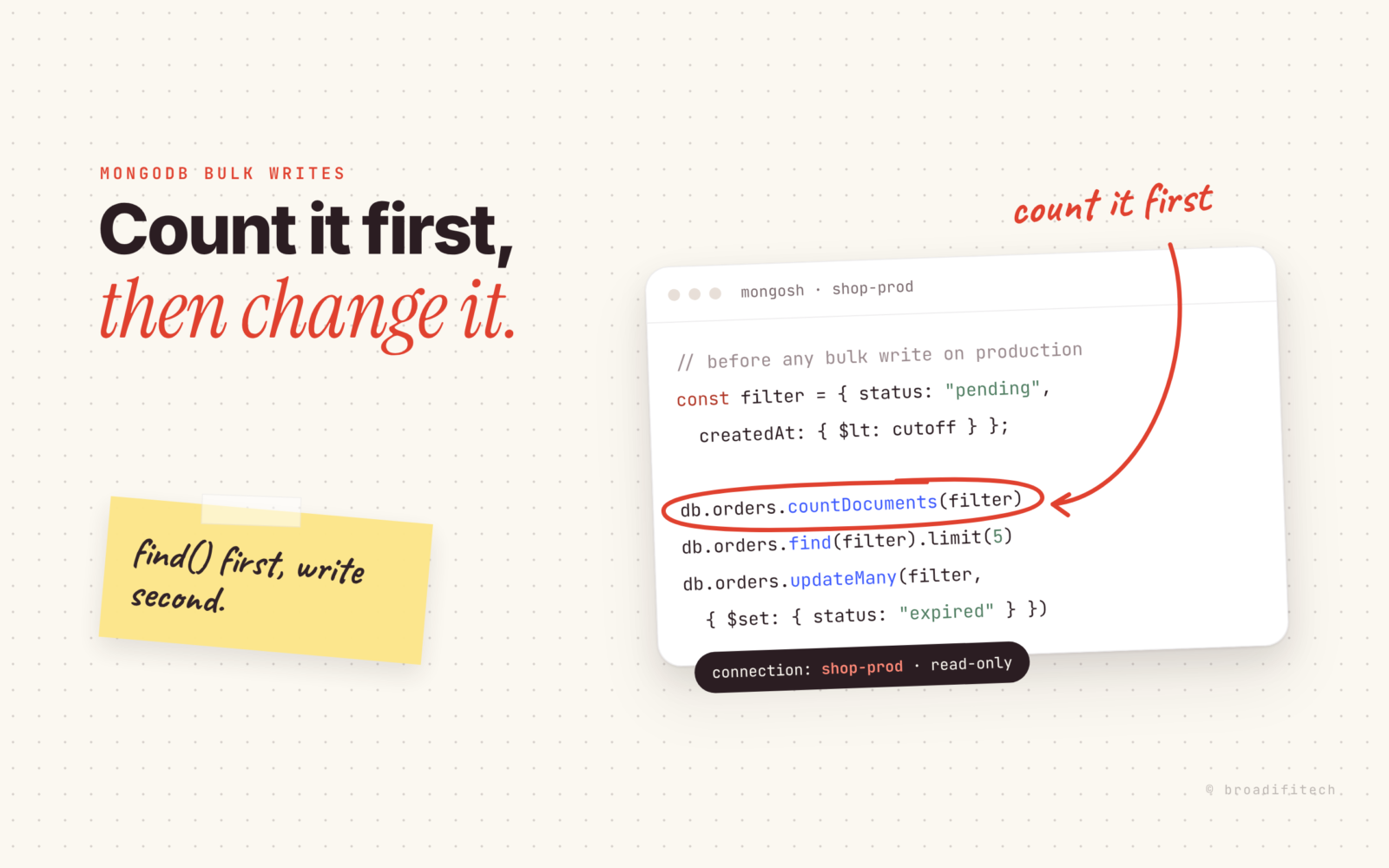
const filter = { status: "pending", createdAt: { $lt: cutoff } };

db.orders.countDocuments(filter)
db.orders.find(filter).limit(5)
The count is the number I care about most. Before I run it, I say out loud (well, in my head) roughly what I expect. Around a few hundred? A few thousand? If the number that comes back is wildly off, I stop there. Nine times out of ten the filter is wrong, and the tenth time my assumption about the data was wrong, which is just as important to learn before a write.
Then I look at a handful of the actual documents. Not the count, the documents. Do they look like the ones I meant? Is there a field I forgot exists, like a soft delete flag or a tenant id, that should be in the filter too? A quick group by a field I did not filter on is also worth the ten seconds:
db.orders.aggregate([
  { $match: filter },
  { $group: { _id: "$region", n: { $sum: 1 } } }
])
If I expected one region and see five, that is my answer.
One more thing that has bitten people I know: if the filter is built in application code from a request, log the final filter object before it runs. An empty object {} matches everything, and an undefined value can quietly drop a condition depending on how the object gets serialized. I wrote more about how queries behave differently on real data in why I stopped trusting “it works on my machine” for MongoDB queries.
Know how you would undo it, before you do it
Two layers here.
The first is the cluster level backup. If you are on Atlas, check whether continuous backup with point in time restore is actually on for that cluster, not the one you assume it is. If you are self hosted, know when the last snapshot ran and whether anyone has ever restored from it. Those are not the same question.
The second layer is the one I actually use, because restoring a whole cluster to fix one bad update is a terrible afternoon. I copy the exact documents I am about to change into a side collection:
db.orders.aggregate([
  { $match: filter },
  { $out: "orders_before_expire_20261111" }
])
Now I have the before state of every touched document, with its _id, sitting right next to the live data. If something goes wrong, the rollback is a script that reads from that collection and writes the old values back. Name it with the date and the reason so whoever finds it in six months knows what it is and when they can drop it. One caution: $out replaces a collection with that name if it already exists, so pick a fresh name every time.
Dry run on a copy, then go small
For anything non trivial, especially updates using an aggregation pipeline or $set with computed values, I run the exact update against that side collection first. It has the same shape as the real data, and if my update expression does something weird, it does it to a copy.
Then I check the result of the real thing, not just that it did not throw. updateMany returns matchedCount and modifiedCount. Compare them to the count you got earlier. If they do not line up, you want to know now.
For large updates I batch instead of firing one giant write. It keeps lock pressure and replication lag down, and it means I can stop halfway if something looks off:
let ids;
do {
  ids = db.orders.find(filter, { _id: 1 }).limit(1000)
    .toArray().map(d => d._id);
  db.orders.updateMany(
    { _id: { $in: ids }, status: "pending" },
    { $set: { status: "expired" } }
  );
} while (ids.length > 0);
Notice the update itself changes status, so each document drops out of the filter once it is done. That is what makes the loop end. If your update does not change anything the filter checks, this loop will run forever on the same thousand documents, so think about that before you copy it.
Read only by default, writes on purpose
Most of my production connections cannot write at all. The database user I use for poking around has the read role and nothing else:
db.createUser({
  user: "shop_readonly",
  pwd: passwordPrompt(),
  roles: [{ role: "read", db: "shop" }]
})
Writes go through a separate user, with separate credentials, that I only use when I have decided to write. It is a small amount of friction, and it is friction in exactly the right place. The mistake I am protecting against is not ignorance. It is running the right command in the wrong tab.
Write down what changed
After the write, I leave a note somewhere the team will see it. The ticket, a channel, the runbook. It says:
- the filter, exactly as run
- the update, exactly as run
- the expected count, matchedCount and modifiedCount
- the name of the before collection and how to roll back
- when that collection can be dropped
It takes two minutes. It turns “did someone change these orders last week?” from an investigation into a search.
Where a tool helps, and where it does not
Most database clients treat production safety as a preference you can switch on and then forget you switched on. That is part of why I built Ognom, a free, MIT licensed MongoDB client. A connection marked production opens read only every time, and turning on edit mode lasts for that session only. Bulk delete refuses an empty filter outright, and every bulk write shows the affected count with sample _ids before it runs. I wrote about the reasoning in production safety is not a setting.
But a tool only covers the step where you press the button. It cannot tell you whether your expected count was right, whether a backup exists, or whether anyone will know how to undo this in a month. That part is the routine.
Use whatever you like, the habit matters more than the tool. Count first, keep a copy of the before state, go in small batches, and write down what you did. If you want the other open source tools our team maintains, they are on our open source page. And if you have a bulk write story of your own, good or bad, send it to contact@broadifitech.com. I collect them.
