

On 18 November, F5 published CVE-2026-123633, a memory bug in how nginx handles HTTP/2. Within a day my inbox had the usual mix of “critical RCE in nginx” headlines and a couple of worried messages from people running a single VPS with a Node app behind nginx.
So here is the calm version. The bug is real and you should patch it. But a lot of servers are not exposed to it, and the most common way people check (nginx -v) gives the wrong answer on Ubuntu, Debian and RHEL. Five minutes with the commands below will tell you where you actually stand.
What the bug actually is
It is a use-after-free (CWE-416) in nginx’s ngx_http_v2_module. A crafted request can make an nginx worker keep using memory that has already been freed. No login is needed.
The scores are CVSS 3.1 8.1 (High) and CVSS 4.0 9.2 (Critical). For what it’s worth, nginx.org’s own advisory list rates it “medium”. The scores differ, so I’d go by the conditions below rather than the number.
According to F5’s advisory, your server is only exposed when all three of these are true:
- HTTP/2 is enabled for client connections.
- nginx forwards requests to a backend (
proxy_pass,grpc_pass,fastcgi_passand friends). - The worker process is running low on free connections (
worker_connections). Xint’s write-up explains that “low” here means nginx has 1/16 or fewer of its connection slots free.
Affected open source versions are 1.19.7 to 1.30.6 and 1.31.0 to 1.31.8. The fix is in 1.30.7 (stable) and 1.31.9 (mainline). For NGINX Plus it is R37.0.7.1 and R37.2.0.1.
F5 says the usual impact is a crashed worker (denial of service), and code execution is possible where ASLR is disabled or can be bypassed. Don’t read that as “only a crash”, though. Both Wiz and Xint say they built working exploits with an ASLR bypass in their labs. They haven’t published them.
On exploitation: CISA’s assessment on 18 November recorded no known exploitation, and the bug was not in CISA’s Known Exploited Vulnerabilities catalog when I checked on 20 November. Red Hat’s bulletin does say a proof of concept is publicly available. So this isn’t a reason to panic, but it isn’t one to put off either. (If you want the bigger picture, last month’s security recap covers what actually got hacked in October, and the pattern is the same: known bugs, patched late.)
The other HTTP/2 bug in the same release
The same release fixed CVE-2026-123007, a memory corruption bug in HTTP/2 flow control. That one only needs HTTP/2 to be enabled. No backend is needed, and Wiz reports code execution against nginx serving plain static files.
This matters for the check. If you have HTTP/2 on and don’t proxy anything, you may be safe from 123633 but still exposed to 123007. The same update fixes both, plus several smaller bugs in that release. That’s why the check below looks at HTTP/2 first.
Why the version number lies on Ubuntu, Debian and RHEL
Distributions don’t jump to nginx 1.30.7. They take the fix and backport it into the version they already ship. nginx -v keeps printing the old number, and only the full package version changes.
| Distribution | nginx -v says | Fixed package |
|---|---|---|
| Ubuntu 26.04 | 1.28.3 | 1.28.3-2ubuntu1.13 |
| Ubuntu 24.04 | 1.24.0 | 1.24.0-2ubuntu7.20 |
| Ubuntu 22.04 | 1.18.0 | 1.18.0-6ubuntu14.23 |
| Debian 13 | 1.26.3 | 1.26.3-3+deb13u11 |
| Debian 12 | 1.22.1 | 1.22.1-9+deb12u11 |
On RHEL 8, 9 and 10, Red Hat shipped fixed nginx packages on 20 November (RHSA-2026:100744 to RHSA-2026:100750).
It also cuts the other way. Ubuntu’s security notes say the old 1.18 package on 22.04 was affected on plain-text HTTP/2 listeners, even though 1.18 is below the upstream range. So the version number alone can’t tell you whether you are safe or vulnerable.
The five-minute check
Run these on the server.
nginx -v
nginx -V 2>&1 | grep -o http_v2_module
sudo nginx -T 2>/dev/null | grep -nE "http2|_pass|worker_connections"
What you’re looking for:
- The second command prints nothing: your nginx was built without HTTP/2. You are not affected by either bug.
- The third command shows
listen ... http2orhttp2 on;: HTTP/2 is enabled.http2 off;and commented-out lines don’t count, because grep matches those too. - Lines ending in
_pass: these mean nginx talks to a backend. That coversproxy_pass,fastcgi_pass(most PHP and WordPress setups),grpc_passanduwsgi_pass.
Then check whether your package already has the fix.
On Ubuntu or Debian:
apt-cache policy nginx
zgrep CVE-2026-123633 /usr/share/doc/nginx*/changelog.Debian.gz
On RHEL, Rocky or Alma:
rpm -q --changelog nginx | grep CVE-2026-123633
Compare the Installed: line from apt-cache policy with the table above. If zgrep finds the CVE, the fix is in the package you have installed.
One trap here. apt changelog nginx looks like the obvious command, but it shows the changelog of the candidate package, the one apt would install next, not the one you are running. It can happily list the CVE while your server is still on the old package. The file in /usr/share/doc belongs to what is actually installed.
If you want to check from the outside, Xint’s write-up suggests asking for HTTP/2 during the TLS handshake from another machine:
openssl s_client -connect example.com:443 -servername example.com -alpn h2 </dev/null 2>&1 | grep "ALPN protocol"
ALPN protocol: h2 means the server accepts HTTP/2. If a CDN sits in front, this only tests the CDN, so run it against the nginx server directly too.
A real check we did this week
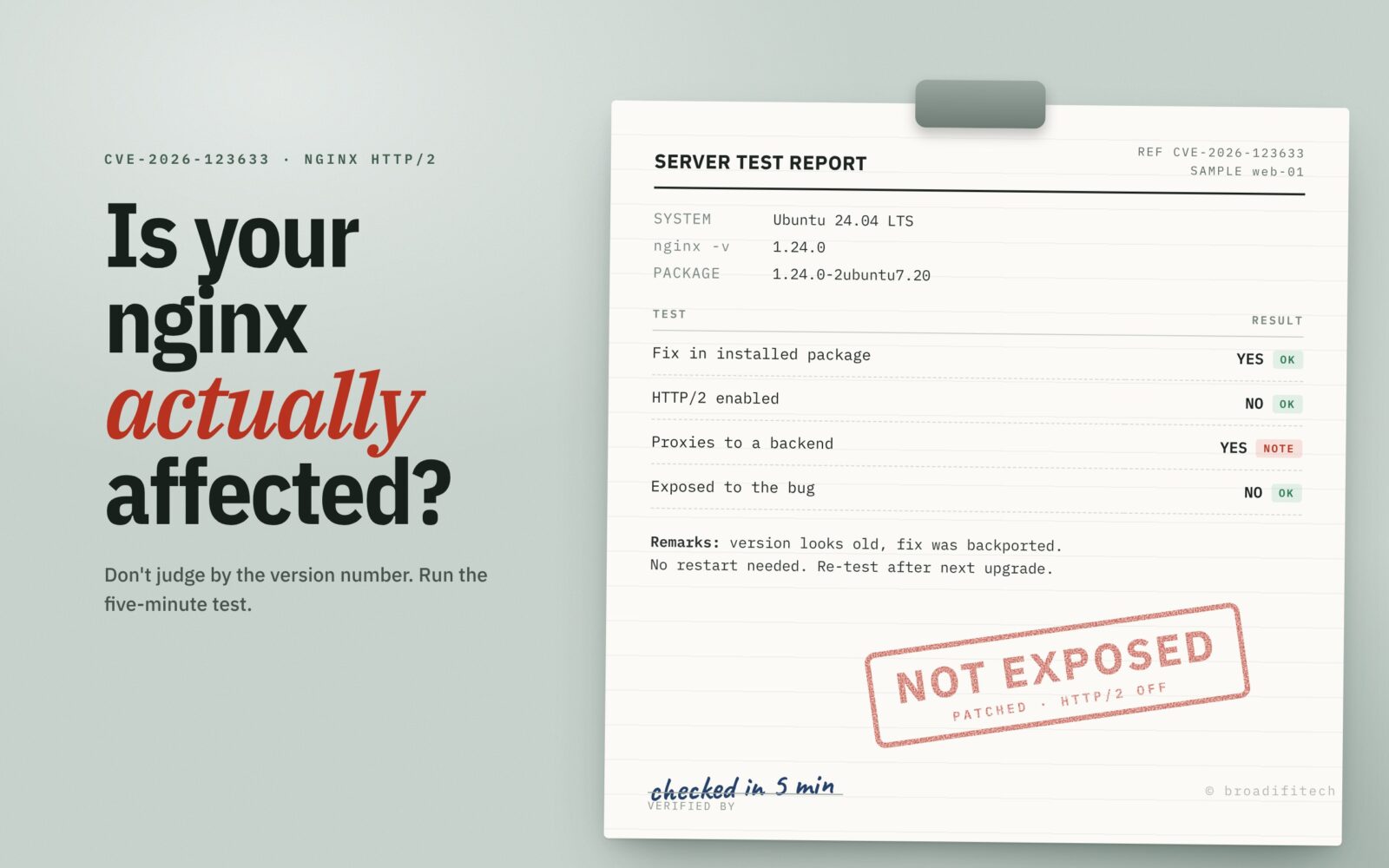
We looked at an Ubuntu 24.04 server for a small team. nginx -v said 1.24.0, which sounds two years old. apt-cache policy showed Installed: 1.24.0-2ubuntu7.20, exactly Ubuntu’s fixed package, and the changelog listed the CVE. HTTP/2 wasn’t enabled on any server block either.
So it already had the fix, and HTTP/2 was off anyway. It was never exposed. The whole check took about five minutes and needed no restart.
How to fix it
On Ubuntu or Debian:
sudo apt update
sudo apt install --only-upgrade nginx nginx-common
sudo nginx -t
sudo systemctl restart nginx
On RHEL, Rocky or Alma:
sudo dnf upgrade nginx
sudo nginx -t
sudo systemctl restart nginx
Use restart, not reload. A reload re-reads the config, but the running master process keeps using the old binary in memory. To confirm you’re on the new binary:
sudo ls -l /proc/$(cat /run/nginx.pid)/exe
If the output ends in (deleted), nginx is still running the old binary, so restart it. A restart drops open connections for a moment, so pick a quiet time if you can.
Docker. The official image already has fixed tags: nginx:1.30.7 (stable) and nginx:1.31.9 (mainline), plus their Alpine variants. Pull the new tag, rebuild anything based on it, and recreate the containers. latest only helps if you actually pull it again. If your image installs nginx from Debian or Ubuntu packages, rebuild it so it picks up the fixed package.
Kubernetes. If you run the community ingress-nginx controller, know that the project is retired. Its README says maintenance ended in March 2026 and there will be no more security fixes. Until you move to a maintained controller, turning HTTP/2 off through its ConfigMap (use-http2: "false") is the practical stopgap. F5’s own NGINX Ingress Controller has fixes in 5.8.0 and 2026-lts-r11, and NGINX Gateway Fabric in 2.9.0. If you are choosing what to move to, I wrote about the boring Kubernetes setup I’d recommend to most startups.
If you can’t patch today
F5’s advisory lists no official mitigation. Wiz, Xint and Red Hat all give the same temporary fix: turn HTTP/2 off. That blocks both 123633 and 123007.
- Remove
http2from everylistenline, for examplelisten 443 ssl http2;becomeslisten 443 ssl;. - On nginx 1.25.1 and later, also set
http2 off;in each server block. Check every server block that shares the same port. - Run
sudo nginx -tand reload. For a config change a reload is fine, but old workers keep serving their existing connections, so check that nothing still showsworker process is shutting downinps.
Browsers will fall back to HTTP/1.1 and most sites won’t notice. Anything that needs HTTP/2, like gRPC, will break, so check that first.
You might also see advice to raise worker_connections. It makes the “running low” condition harder to reach, but none of the vendors list it as a mitigation, and it does nothing for 123007. I wouldn’t treat it as a fix.
If you’d like a second pair of eyes
Most of the servers we look at aren’t in trouble. They just haven’t been looked at in a while. Our team does infrastructure reviews and looks after servers for small teams, and patching days like this one are part of that. If you’d like us to check yours, tell us a bit about your setup or read more about how we handle DevOps and cloud costs.
Sources: CVE record, F5 advisory K000163928, nginx security advisories, Ubuntu, Debian, Red Hat, Red Hat bulletin RHSB-2026-019, Wiz Research, Xint, ingress-nginx.
