

Every few months a founder tells me they are “moving to Kubernetes”. Then I ask how many services they run, and the answer is two. An API and a worker. Sometimes a cron job.
I get it. Kubernetes feels like the grown-up choice. Every job post mentions it, every conference talk assumes it. But I have watched small teams spend a quarter building a platform when they should have been shipping the product. So here is my honest take: when you do not need it yet, and the boring setup I’d use when you do.
Signs you don’t need it yet
If most of these sound like you, wait:
- You run one or two services, maybe a background worker.
- Your team is small, and nobody wants to be “the infra person”.
- Traffic is steady enough that one bigger machine handles the peak.
- You have one production environment and maybe a staging copy.
For this stage you have two good options. The first is a managed platform (a PaaS) where you push code and it runs. You pay a bit more per unit of compute, but you pay nobody to babysit it. The second is a single VM with Docker Compose. One docker-compose.yml, a reverse proxy that handles TLS, a managed database outside the box, and a deploy script that pulls the new image and restarts. It is not glamorous. It also works for a surprisingly long time.
The trick with the VM route is to keep it disposable. Put the config in git, keep data in managed services, and make sure you can rebuild the machine from scratch in under an hour. If you can do that, you already have most of what people think Kubernetes gives them.
Signs you actually do
Things change when the number of moving parts grows. These are the signals I take seriously:
- You have many services, owned by different people, deploying on their own schedules.
- Different parts of the system need to scale on their own, like an API that is quiet and a worker that spikes at night.
- You need several environments (dev, staging, production, maybe per-customer) that should look the same.
- Your Compose file and deploy scripts have grown into a homemade orchestrator that only one person understands.
That last one is the real tell. If you are already writing health checks, rolling restarts and service discovery by hand, Kubernetes is no longer the complicated option. Your scripts are.
The boring setup
When a team does need it, this is the setup I recommend. Nothing in it is clever, and that is the point.
A managed control plane. Use the managed Kubernetes from your cloud provider. Running your own control plane is a full-time job, and you do not get any credit from customers for doing it well.
Clear environment boundaries. My default is a separate cluster for production and one shared cluster for everything else, split by namespaces. One cluster per environment gives the cleanest blast radius. Namespaces in one cluster are cheaper and fine for dev and staging. Just do not let a staging job share nodes with production.
Helm or Kustomize, pick one. Kustomize is simpler if you mostly need small differences between environments. Helm makes sense when you install third-party charts anyway. The mistake is using both for your own apps and making people learn two ways to change a replica count.
One way in, with TLS handled for you. An ingress controller (or a Gateway API implementation) plus cert-manager for certificates. One note if you are starting today: the community ingress-nginx project was retired in March 2026, according to the Kubernetes blog, and they point people to Gateway API. I would not start a new cluster on it.
Basic metrics and logs. Not a full observability platform. You need CPU and memory per pod, request rates and errors, and logs you can search when something breaks at 2am. Whatever your cloud provides out of the box is often enough for the first year.
Autoscaling on real metrics. A HorizontalPodAutoscaler on CPU is a fine start, but only after you have set sensible requests. Autoscaling on numbers you guessed just scales your guesses.
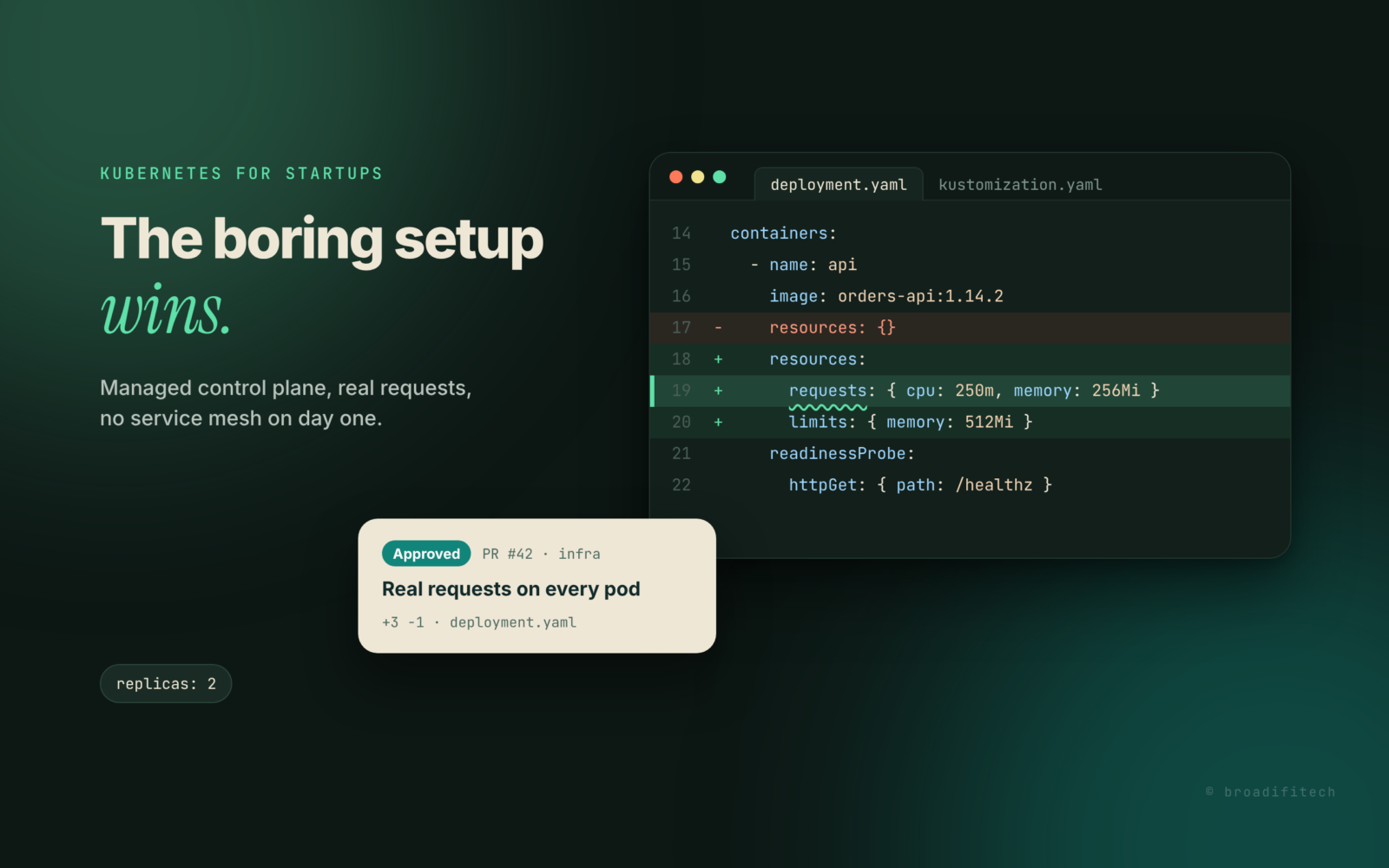
Here is roughly what a boring deployment looks like. Nothing fancy, just the parts people forget:
apiVersion: apps/v1
kind: Deployment
metadata:
  name: orders-api
  namespace: production
spec:
  replicas: 2
  template:
    spec:
      containers:
        - name: api
          image: registry.example.com/orders-api:1.14.2
          resources:
            requests:
              cpu: 250m
              memory: 256Mi
            limits:
              memory: 512Mi
          readinessProbe:
            httpGet:
              path: /healthz
              port: 8080
(Selectors and labels trimmed to keep it short.) Notice there is a memory limit but no CPU limit. That is a choice many teams make on purpose, because CPU limits can throttle a pod even when the node has room to spare. Memory is different: if a pod leaks, you want it killed and restarted, not taking the whole node down with it.
What to skip at the start
This is where most of the wasted months come from. Skip these until a real problem asks for them:
- A service mesh. Mutual TLS, traffic splitting and fancy retries are great. They are also another control plane to upgrade and debug. If you have five services, you do not need it.
- Custom operators. Writing your own operator means maintaining a distributed system inside your distributed system. Use a managed database instead of running one in the cluster.
- Multi-cluster anything. Federation, cross-cluster failover, global load balancing. Get one cluster boring first.
- A homemade developer platform. A few clear docs and a template repo beat an internal portal nobody maintains.
Cost guardrails from day one
Kubernetes makes it very easy to spend money quietly. A few habits help a lot.
Every container gets requests. The scheduler packs pods onto nodes based on requests. No requests means the scheduler is guessing, and you end up with either crowded nodes or half-empty ones. A LimitRange in each namespace can set defaults so nobody ships a pod without them.
Check requests against reality. Once a month, compare what each workload requests with what it actually uses. Teams tend to copy a big number once and never touch it again. The gap between requested and used is money you pay for idle capacity.
Right-size the nodes. If your pods request a little CPU and lots of memory, pick memory-heavy node types. If the cluster autoscaler keeps adding nodes that end up mostly empty, look at node size before you blame traffic.
Put an owner on every namespace. A label like team: payments on each namespace makes the bill readable later. I wrote more about this habit in your cloud bill is a bug report nobody is reading, and it applies even more inside a cluster, where one line item hides dozens of workloads.
The way I’d sequence it
If you are a small team today: start on a PaaS or one VM with Compose, keep everything in git, and keep data in managed services. When the signs above show up, move to a managed cluster with the boring setup. Add the clever stuff only when a specific pain asks for it, and write down which pain it was.
Nobody gets points for the most impressive infrastructure. You get points for shipping, staying up and not burning money. Boring is a feature.
If you are stuck somewhere in between, maybe a cluster that grew faster than the team or a cloud bill that keeps climbing, this is the kind of work we do at Broadifi. Have a look at our DevOps and cloud cost page or write to us at contact@broadifitech.com.
